
USER GUIDE
If you select User Guide from the
Help Menu,
the User Guide will be displayed in the
Tabs frame.

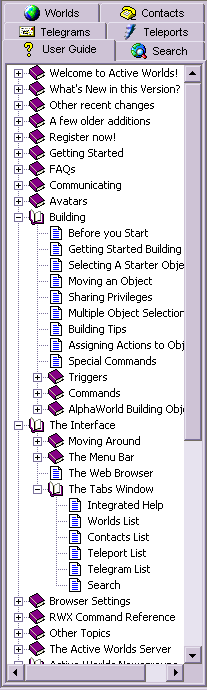
The User Guide contains a list of topics, which can be expanded to show sub-topics.
If you select a help page in any of the topics or sub-topics,
it will be displayed as an HTML page either in the built-in web window, or your
default external web browser, depending on your settings. Using the
Integrated Web Browser
requires that you have Microsoft Internet ExplorerTM
installed on your computer system.
You may notice [+] (plus) and [-] (minus) icons next to the names of various topics in the list.
Topics that can be expanded will have a [+] icon next to them, and topics that can be collapsed
will have a [-] icon next to them. Click on the [+] icon to expand the topic, or on the [-] icon to collapse the topic.
Alternatively, you may click on any topic in the User Guide and then use the arrow keys on your keyboard
to navigate within the list of topics. Use the right arrow key on your keyboard as a keyboard shortcut to
expand a selected topic.
An overview
of the Integrated Help System is available either from within the help system itself,
or from the Help menu in your Active Worlds browser.
The current Active Worlds documentation is also available online through
the Active Worlds website, and can be found at
www.ActiveWorlds.com/help/
or through the online help link in the Support section of the
Active Worlds
web site.